
The Speaker plugin provides bulk audio creation for posts. To do this, go to the posts/pages list of your WordPress site>select the required posts> apply the Create Audio function for the selected posts.
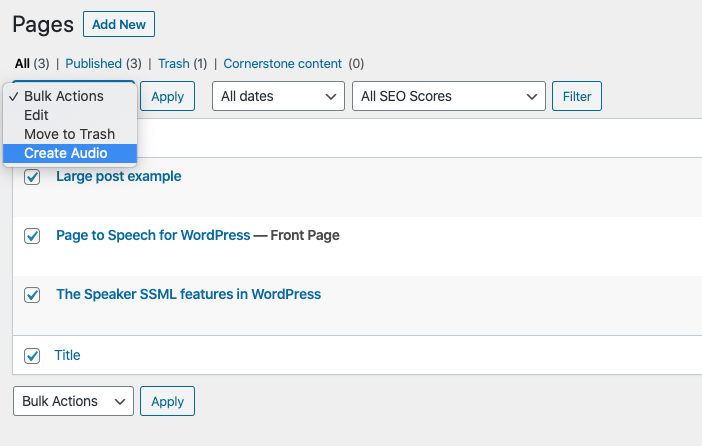
In the list of posts will be marked processed and not processed posts. Posts/Pages for which audio versions have already created will be marked with a green triangle. Posts for which audio has not yet created will be marked with a blue contour triangle.

Comments
0 comments
Please sign in to leave a comment.