
In case the caching plugin installed on your site or hosting, you may have problems displaying graphs. The charts may not be displayed due to script error only on the front end or on both sides in the Elementor editor.
How to solve the issue?
- Add the file provided below to the whitelist for your cache plugin.
wp-content/plugins/graphist-elementor/js/graphist.min.js
If the problem persists try to disable the caching plugin temporarily on your site and check whether this affected the Graphist plugin.
- Reset the element styles via Elementor>Tools>Regenerate CSS.
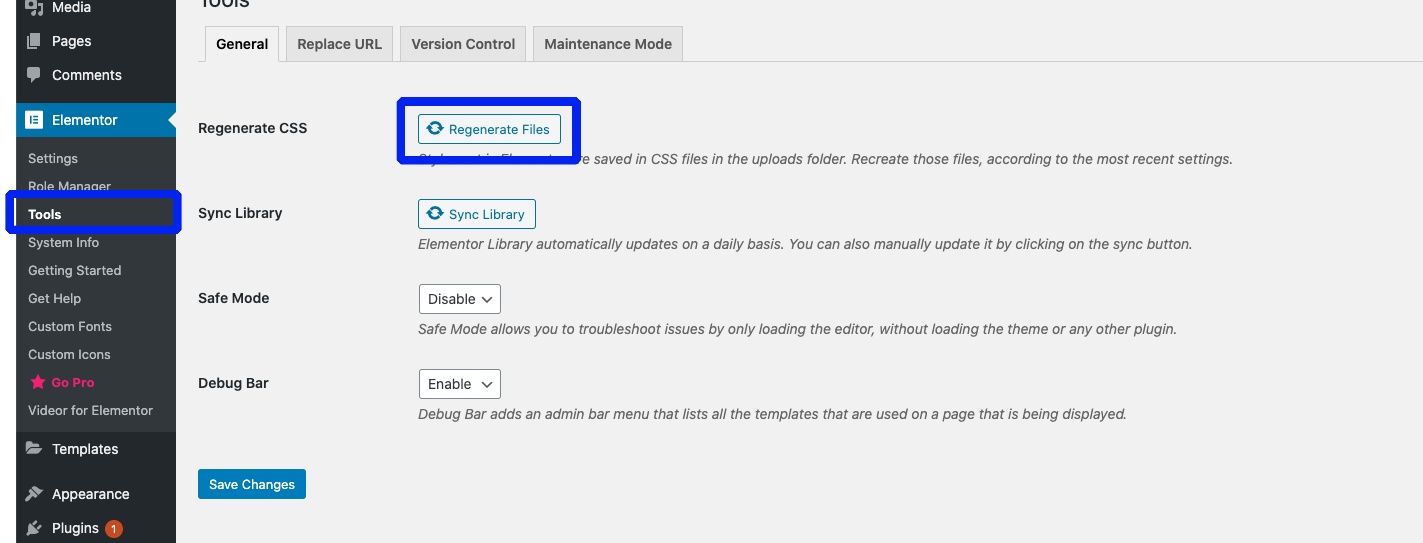
Please note that caching can also be enabled on the host. You can contact your hosting support to add the provided link to the whitelist as well.
Comments
0 comments
Please sign in to leave a comment.