
Our plugins are ready for translation into different languages as they have the prepared .pot template, which is located in the /languages folder of the current plugin.
To translate the item you can use any convenient tool. It can be Poedit or one of the WordPress translation plugin, for example, Loco Translate plugin. Create a new language file based on the .pot template and add the translation.
The Loco Translate plugin usage example
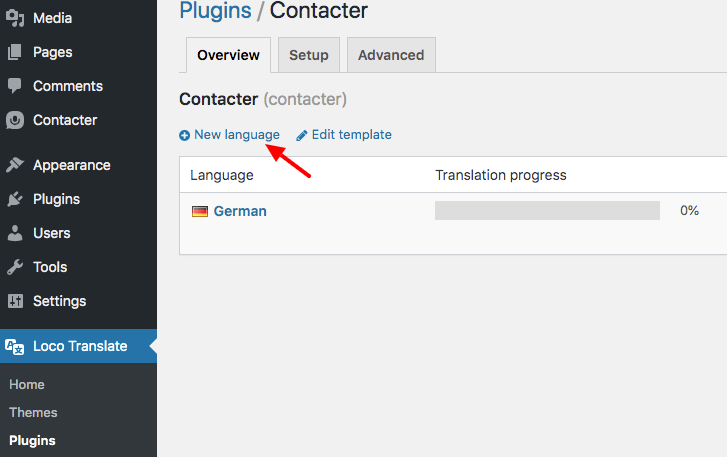
After the translation file is created you need to enter your translation for each word or phrase.
For this, press Edit on the file
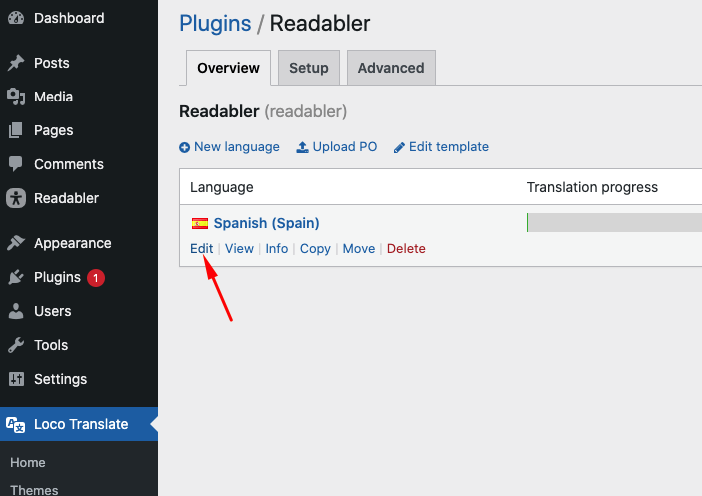
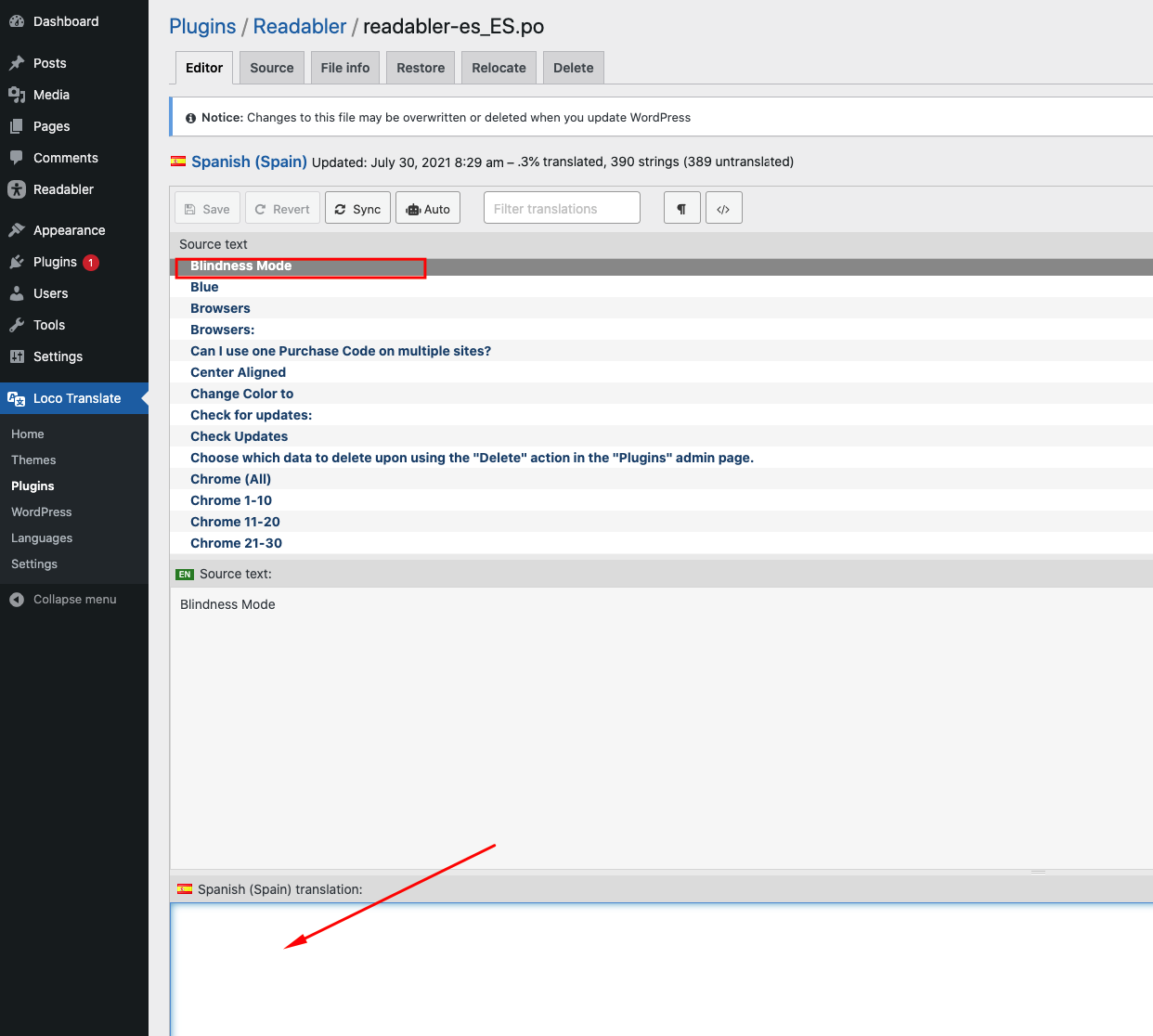
and enter your translation for the required strings
Comments
0 comments
Please sign in to leave a comment.